

With React Email, write email templates as React components, with full TypeScript and Tailwind support, and a local preview server. Preview your emails in real time with hot reloading, and render to email-friendly HTML or plain text when you’re ready to send. This guide walks through setting up a React Email project, writing a template, and uploading it to Resend Templates with the Resend CLI so the rest of your team can collaborate on it in the dashboard.Documentation Index
Fetch the complete documentation index at: https://resend.com/docs/llms.txt
Use this file to discover all available pages before exploring further.
Set up a React Email project
Use This creates a new
create-email to scaffold a project with a starter template, a preview server, and the @react-email/components package.react-email-starter folder with an emails/ directory and a few example templates. Install dependencies:Write your template
Create
emails/welcome.tsx. Each component can be imported from react-email (view all components). Optionally add props to the component to be used as variables when sending.emails/welcome.tsx
Add email script
package.json
email:dev script will start the preview server. If your email directory is not in the root of your project, you can specify the path to it.package.json
Preview locally
Run the preview server to see your email render in real time as you edit. Hot reload picks up changes automatically.Open localhost:3000 and select 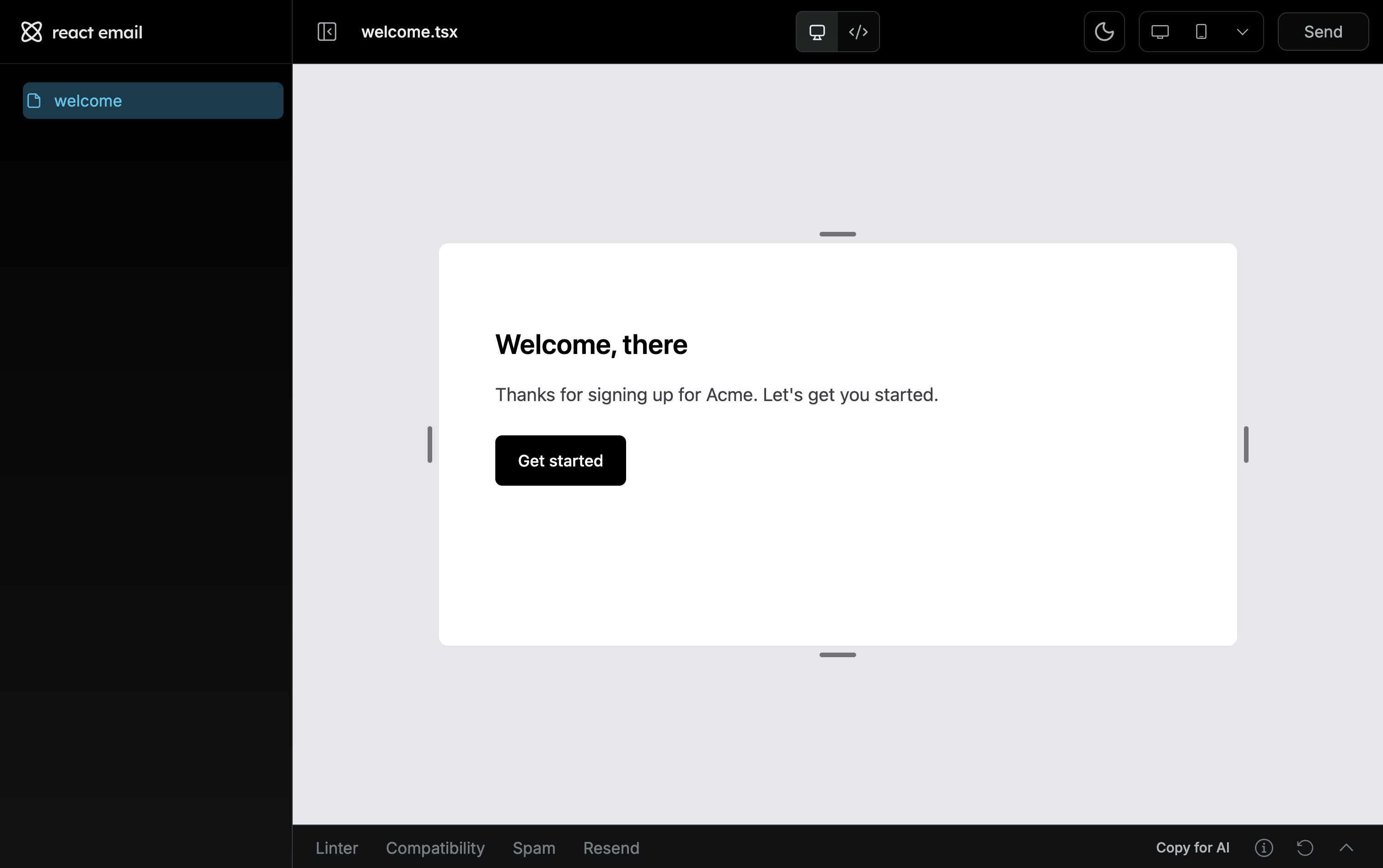
welcome.tsx from the sidebar.welcome.tsx show in real-time and dedicated email tools show in the toolbars.Linter: lint your email content, links, and more.Compatibility: check your email’s HTML/CSS with caniemail.Spam: see how spam checkers view your email.
Send your email template
You can pass your React Email template in the email call using the Resend Node SDK.
sendEmail.tsx
Upload your template to Resend
Templates are stored on Resend and can be referenced when you send transactional emails. With Templates, define the structure and layout of a message and optionally include custom variables which will be replaced with the actual values when sending the email.Set up the Resend integration using the React Email CLI:This will prompt you to enter your Resend API Key. To get one, navigate to API Keys in your Resend dashboard, click Create API key, and ensure that the API Key is scoped to Full Access.Paste the API Key into the terminal and press enter.Run the React Email preview server and visit the Resend tab of the toolbar. Choose Upload or Bulk Upload to import your Template to Resend.If you want to remove the Resend integration, run
npx react-email@latest resend reset.React Email components
Browse every available component — Button, Container, Tailwind, and more.
Resend CLI reference
See every CLI command and flag, including templates, automations, and
webhooks.
Templates introduction
Learn how Templates, variables, and version history work in Resend.
Embed the React Email editor
Add the open-source visual editor to your own app.